Dahlia Flower Wall Art SVG Sign: Your Creative Cut File
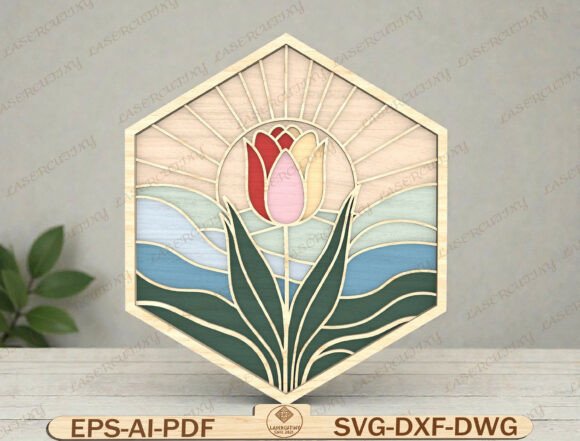
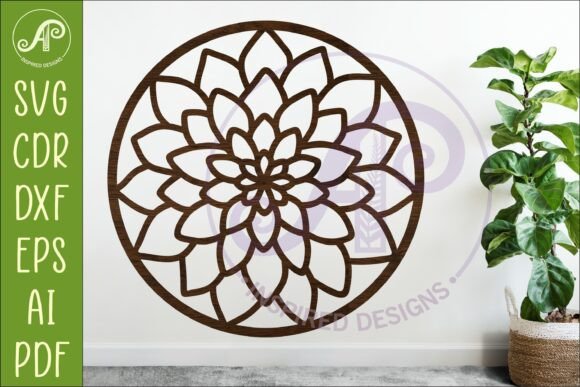
Imagine transforming a simple piece of wood, acrylic, or metal into a stunning piece of botanical art. The Dahlia Flower Wall Art SVG Sign design offers an elegant, detailed floral motif perfect for creators who love nature-inspired projects. This digital download is more than just an image; it's a versatile set of laser-ready files designed to bring professional quality to your crafting and manufacturing projects.
Understanding the Design Files
When you purchase this digital asset, you receive a comprehensive package of file types to ensure compatibility with almost any software or machine. The package includes SVG, DXF, AI, PDF, and CDR formats. This variety allows you to use the design seamlessly with popular vector editing software like Adobe Illustrator or CorelDraw, as well as standard crafting programs.
The true power of this design lies in its preparation for fabrication. The files are specifically formatted with exterior cut lines, typically indicated in blue, making them ready for laser cutters and CNC routers. You don't need to spend hours tracing or cleaning up the vector paths; the design is optimized for a smooth cutting experience. The standard recommended size is 20 to 50cm tall, though the vector nature of the files means you can scale it up or down without losing quality.
Creative Applications and Use Cases
The versatility of the Dahlia Flower Wall Art SVG Sign makes it a valuable asset for a wide range of projects. It fits perfectly into the workflow of designers, small business owners, and hobbyists looking to create high-end decor or merchandise.
- Home Decor and Signage: Cut the design from plywood or MDF to create rustic farmhouse wall art, or use acrylic for a modern, sleek look. It is ideal for living room accents, bedroom decor, or boutique shop displays.
- Event Planning: Create custom backdrops, table numbers, or cake toppers for weddings and garden parties. The floral theme adds a touch of romance and sophistication to any event setup.
- Custom Merchandise: Use the design to create stencils for painting tote bags, t-shirts, or canvas prints. It can also be used to etch designs onto glass or mirrors for personalized gifts.
- Paper Crafts: For those without a laser cutter, the design works beautifully with cardstock for intricate scrapbook layouts, greeting cards, or shadow box art.
Tips for a Successful Project
To get the best results from your digital download, consider a few practical steps before you begin cutting. First, always do a test cut on a scrap piece of material to ensure your machine settings are correct. The intricate petals of the dahlia may require slower speeds or specific power settings to capture the fine details without burning the material.
Second, think about the material thickness. If you are cutting wood, ensure your laser has enough power to cut through completely. For metal cutting, the design is optimized, but you may need to adjust the scale based on your machine's capabilities. Finally, consider the finish. Once cut, you can sand, paint, stain, or glitter your piece to match your specific color palette or branding style.
Why Digital Downloads Matter
In the world of modern design assets, having access to high-quality, ready-to-use files saves significant time and effort. Instead of commissioning a custom design or struggling with complex software, a digital download like this provides an immediate solution. It bridges the gap between a creative idea and a finished product, allowing you to focus on the craftsmanship and finishing touches that make your work unique.
Whether you are a seasoned professional in the signage industry or a hobbyist exploring new creative avenues, this design provides a solid foundation. It is an investment in your creative toolkit that can be reused across countless projects, helping you produce polished, professional-looking results every time.